Creating an animation should feel easy. It should not take long hours or complex tools. With Anijam AI, you can start your first animation today. You only need a simple idea. The AI will help you turn that idea into a complete video. This page will guide you and show how fast you can begin.
Anijam AI is made for beginners, creators, teachers, and anyone who wants to tell a story. You do not need drawing skills. You do not need animation experience. The platform handles the hard work for you. You only focus on your message.
Also Read > How Anijam AI Works – Simple Guide for New Creators
Strong Opening Line
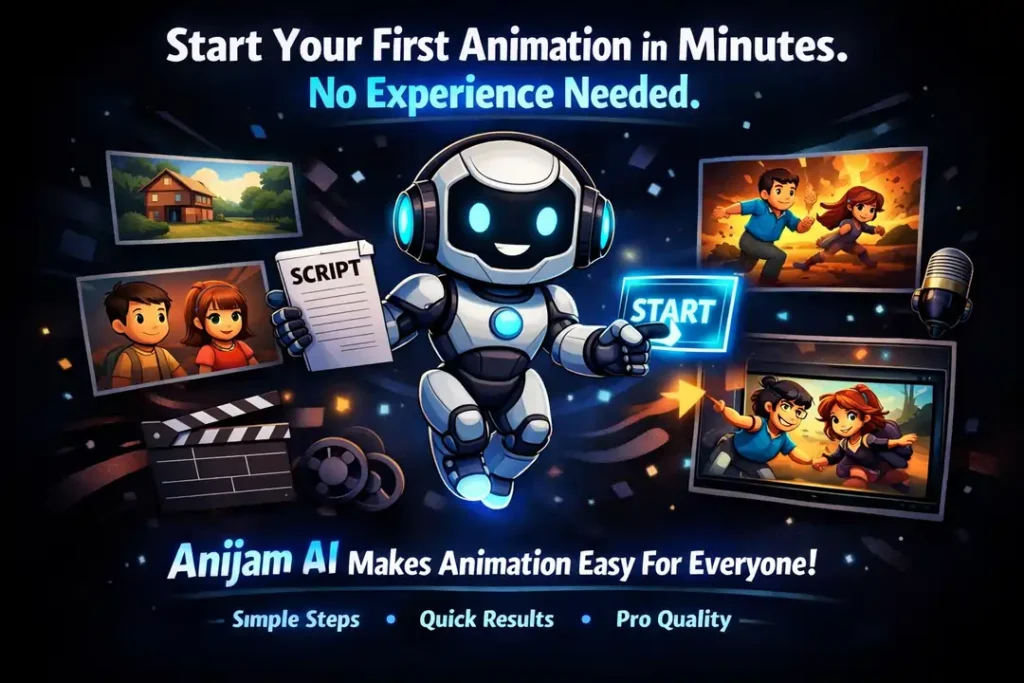
Start your first animation in minutes. No experience needed.
This is the promise of Anijam AI. The tool is simple. The steps are short. The results look professional. Anyone can create a video, even on their first try.
What You Can Create
Anijam AI supports many types of videos. You can use it for fun, learning, business, or storytelling. Here are some examples:
Story Videos
Create short stories or character scenes. Great for YouTube and personal projects.
Explainer Videos
Turn ideas into simple visual explanations. Perfect for startups and product demos.
Educational Content
Teachers and students can create lessons, tutorials, and study videos in minutes.
Short Films
Build cinematic scenes with characters, camera angles, and smooth movements.
Social Media Clips
Make quick and engaging videos for Instagram, TikTok, and Facebook.
You can choose cartoon, anime, 3D, or cinematic styles. This helps your video match your creative vision.
Quick Start Guide
This guide shows how fast you can begin. You can create a video even if you have never made one before.
Step 1: Write Your Idea
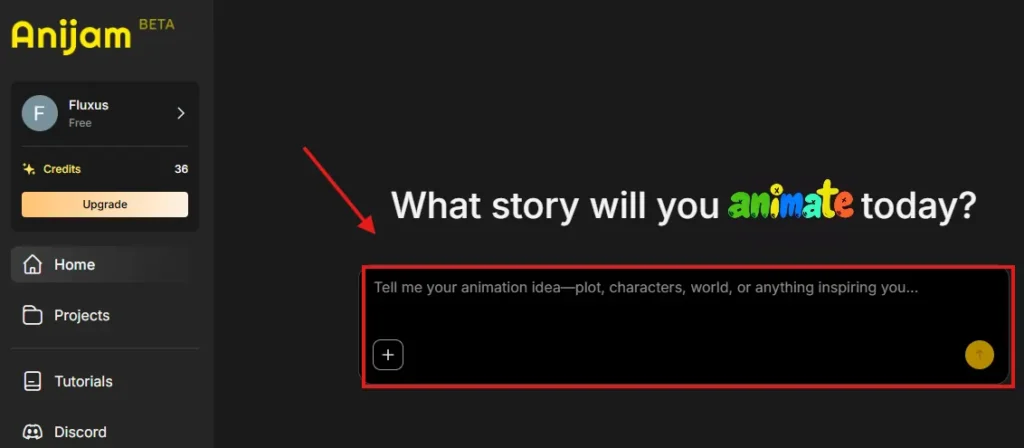
Start with a simple idea or script. It can be short or long. The AI reads your text and prepares the scenes. Clear writing helps the AI understand your story better.
Step 2: Pick a Style
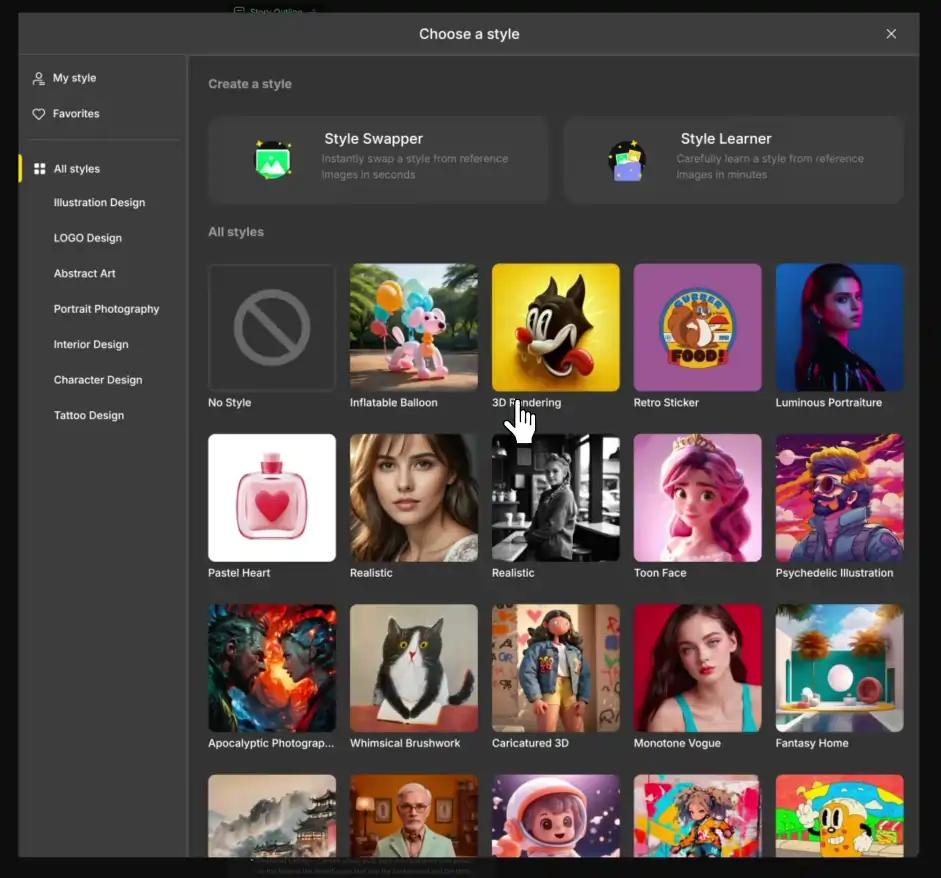
Choose the look of your video. Select characters, backgrounds, and visual styles. You can also design your own characters if you want something unique.
Step 3: Let the AI Build Your Scenes
The AI creates scenes automatically. It places characters, adds movements, and sets camera angles. It also adds lip-sync if your script has dialogue. This step saves a lot of time.
Step 4: Edit and Export
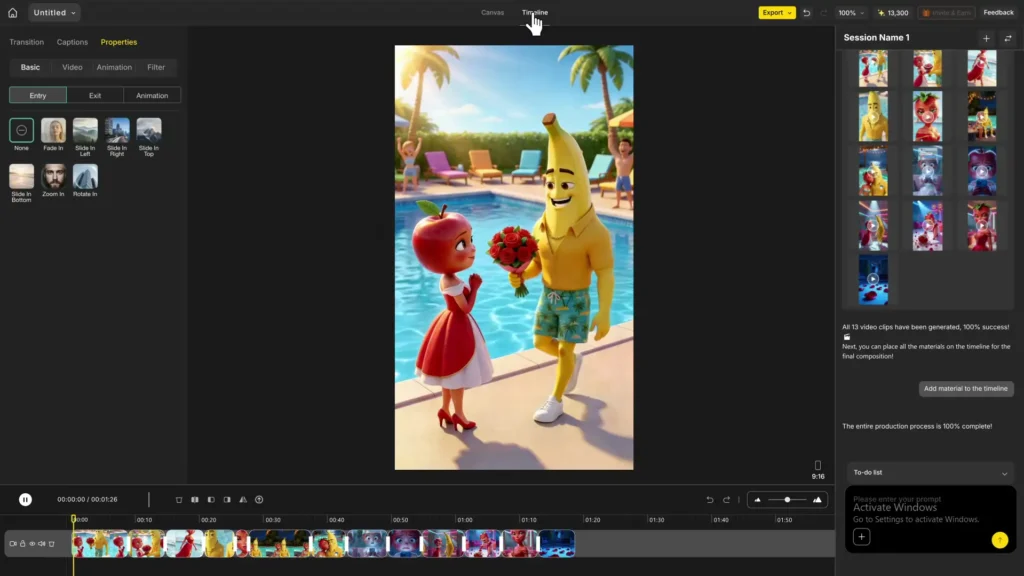
Use the timeline editor to adjust timing and actions. You can change backgrounds, rewrite lines, or add new scenes. When you are happy with the result, export your video in HD.
This simple process helps you create a complete animation quickly.
Feature Highlights
Anijam AI includes helpful features that make animation fast and easy. Here are the main highlights:
- Fast AI Scene Generation
The AI builds scenes in minutes. You do not need to animate anything manually. - Easy Character Tools
Choose characters from the library or design your own. Change outfits, expressions, and movements with simple clicks. - Built-In Voice Options
Upload your own voice or use AI voices. The system matches lip movements automatically. - HD Video Export
Export your video in MP4 format. Most plans support 720p or 1080p. - Beginner-Friendly Interface
The editor is clean and simple. You can drag, drop, and adjust scenes easily. - Consistent Characters
Your characters stay the same across all scenes. This makes your video look smooth and professional. - Flexible Editing Tools
Change camera angles, adjust timing, and rewrite lines anytime. You stay in control.
Why Start Now?
Starting now helps you bring your ideas to life. You do not need perfect skills. You do not need a big plan. You only need a simple idea. Anijam AI gives you everything you need to begin.
Animation is no longer slow or difficult. With AI, it becomes simple, fast, and fun. Whether you want to teach, promote, or entertain, you can start today.
Call to Action
You are only one click away from creating your first animation. The tools are ready. The process is simple. Your idea is enough.
Nice
Make a 5 minute jisse YouTube per upload karke main million mein view Kama Lun Jo video bacchon ke liye honi chahie
Bahut acha ai aap hai
Mujhe Cartoon video banana hai short long